The Ultimate Guide to Choosing an Editable Home Management Planner for KDP
Running a household is a complex, multi-faceted job, often without a clear roadmap. For many creators on Amazon KDP, the solution lies in offering tools that bring order to this chaos. An Editable Home Management Planner designed for KDP is a powerful digital product intended to help your customers plan, track, and streamline their domestic lives. But choosing and using the right planner—or creating one to sell—isn't as simple as picking a pretty template. Common oversights can lead to frustration for you as a seller and, ultimately, for your end users. Let's explore how to navigate these pitfalls to ensure your product is genuinely helpful and commercially successful.
Overlooking the "Editable" Functionality
A significant misunderstanding is equating an "editable" planner with a simple PDF image. A true Editable Home Management Planner for KDP should be provided in a format like PDF with interactive fields, or alongside source files (like .DOCX or compatible design software files), allowing the buyer to personalize text, dates, and sections before printing. Selling a static, non-editable PDF as an "editable" product is a primary reason for customer dissatisfaction and negative reviews. It affects usability at its core, locking users into a generic layout that may not suit their specific family's needs, meal schedules, or chore rotations.
The practical advice here is straightforward: if you're creating the planner, build it using software that allows for text field creation or provide the original editable document. As a buyer (perhaps a creator looking for interiors), always check the product description carefully. Phrases like "high quality print ready pdf files" should be accompanied by clarification on how editing is performed. Look for mentions of "text boxes," "fillable fields," or "source file included." A better approach is to include a simple editing guide in your product, explaining how users can customize it with free software, turning a potential point of confusion into a value-added feature.
The Critical Mistake of Ignoring KDP Specifications
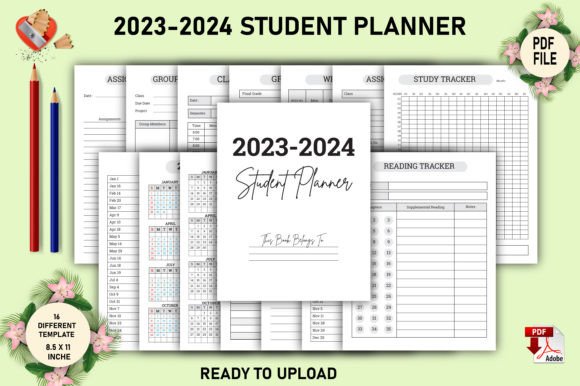
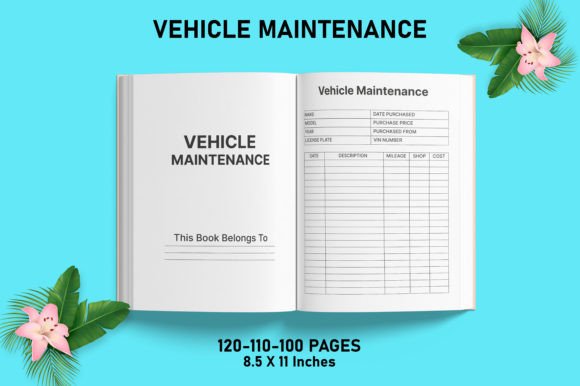
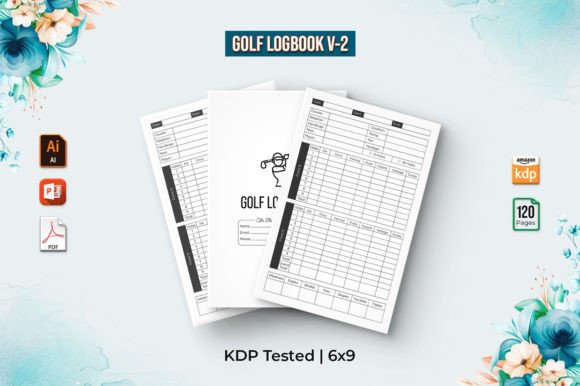
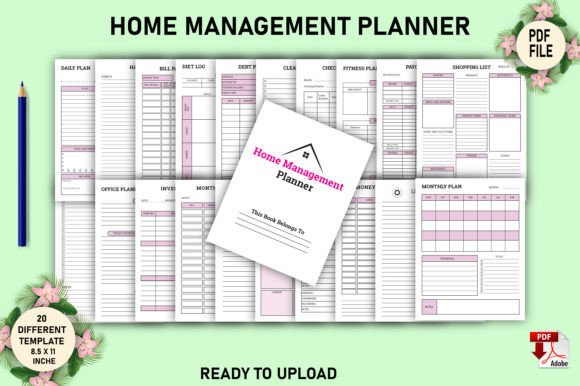
The description mentions key specs: 8.5 x 11 Inches, without bleed area, KDP tested, CMYK color, 300 PPI. These are not arbitrary details; they are essential for print quality. A common creator mistake is designing a planner in RGB color mode for digital use, which can lead to dull, inaccurate colors when printed through KDP's CMYK process. Similarly, using a resolution below 300 PPI results in blurry, unprofessional text and graphics. Designing without accounting for the "no bleed" area means crucial content like page numbers or border elements could be trimmed off during KDP's printing process.
This directly affects the product's perceived quality and your brand's reputation. A user receiving a physically misprinted planner cannot use it effectively. To avoid this, treat these specifications as your design blueprint from the start. Set your canvas to exactly 8.5" x 11", set the color mode to CMYK, and confirm your resolution is locked at 300 PPI. Before finalizing, preview your file using KDP's interior reviewer tool. This proactive checking prevents the costly and embarrassing error of uploading a file that generates poor print results.
Quantity Versus Quality in Template Design
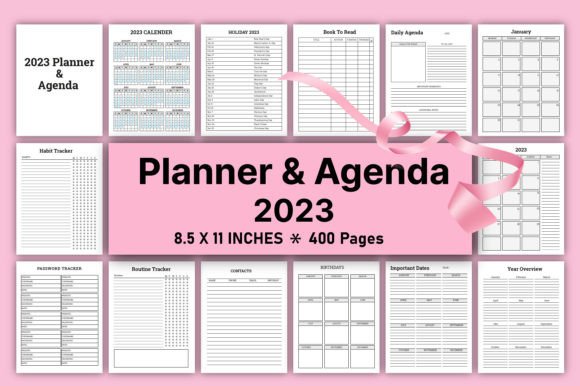
Offering "20 different templates" is a attractive feature, but a misstep is focusing solely on quantity. Twenty templates that are poorly designed, overly similar, or lack functional variety are worse than ten exceptionally useful ones. For example, including five different "Weekly Meal Planner" pages with only minor aesthetic differences adds little value. Users need dedicated, thoughtful layouts for distinct tasks: deep cleaning schedules, monthly budget trackers, family event calendars, and home maintenance logs.
This mistake affects the planner's efficiency. A user buys a comprehensive tool but finds half the pages irrelevant to their life. The constructive solution is to audit your template list against real household management needs. Ensure each template serves a unique, practical purpose. Think about the user's journey: a monthly overview, followed by weekly task breakdowns, followed by specific project pages. Variety in function, not just in decoration, makes your Editable Home Management Planner a truly indispensable tool.
Forgetting the End User's Experience
When creating a digital product, it's easy to get lost in the design process and forget the person who will actually use it. A planner with a stunning "KDP Interiors" aesthetic but cramped text boxes, faint guiding lines, or overly complex sections becomes a decorative object, not a practical one. Another overlooked detail is logical flow. How does a user move from a yearly goal page to a monthly calendar to a daily to-do list? Without a natural narrative, the planner feels disjointed.
This impacts satisfaction and daily utility. A beautiful planner that is difficult to use will be abandoned. To craft a better approach, adopt a user-centric mindset. Test your planner yourself. Try filling out a week's meals, a month's bills, and a cleaning schedule. Is it intuitive? Is there enough space to write? Are headings clear? Simplify where necessary. White space and clarity are more valuable than ornate decorations. Your goal is to reduce cognitive load for the user, not add to it.
The Assumption That "Print-Ready" Means "Perfect"
The phrase "you will get high quality print ready pdf files" is a promise of finished quality. A misunderstanding is assuming this means no further work is needed. As a seller, your "print-ready" file must be meticulously checked for errors like hidden layers, misaligned margins, or font embedding issues. As a buyer, you should still verify the file. Open it in a PDF viewer, scroll through every page, check for any visual anomalies, and ensure all editable fields are functional.
Neglecting this final verification step can affect results dramatically. A misplaced footer or a corrupted font on page 15 renders the entire product flawed. The practical advice is to implement a rigorous quality control checklist before upload or purchase. This includes checking each page individually, printing a test page at home if possible, and using KDP's previewer. This diligence ensures the product you deliver or use lives up to its "print-ready" claim, fostering trust and positive user experiences.
Making the Right Choice for Your Needs
Before committing to an Editable Home Management Planner for KDP—whether as a creator or a consumer—pause to evaluate. First, clarify your primary need. Are you seeking a business product to sell, or a personal tool to organize your home? If selling, does the interior design align with your brand and target audience? If using, does the template variety match your actual household challenges?
Second, scrutinize the technical specifications. Confirm the size, color mode, resolution, and bleed settings match KDP's requirements or your personal printer's capabilities. Third, investigate the editing capability. How is editing accomplished? Is it straightforward for your skill level? Finally, consider the design philosophy. Is it overly decorative or fundamentally functional? A planner that balances visual appeal with effortless usability is the gold standard.
By focusing on these core aspects—true functionality, technical fidelity, purposeful design, and user experience—you move beyond just acquiring a product to investing in a solution. An effective Editable Home Management Planner becomes more than a file; it's a framework for tranquility and control in the busy rhythm of home life. Choosing or creating with this depth of understanding ensures the tool serves its highest purpose: making the complex job of home management feel simpler, clearer, and more achievable.